




Pinterest Bulk Image Downloader: Download Entire Boards in One Click
Last Updated: March 2026
Need to download multiple Pinterest images fast? Whether you're building a moodboard, gathering design inspiration, or backing up a curated collection, manually saving images one by one is painfully slow. A Pinterest bulk image downloader—or Pinterest board downloader—solves this by extracting entire boards in seconds. Pinpasta is a free browser extension (available for Chrome and Firefox) that downloads hundreds of Pinterest images at once, preserves the highest resolution available, and packages everything into a convenient ZIP file. No manual clicking, no low-res thumbnails, no wasted time.
Why You Need a Pinterest Bulk Image Downloader
Pinterest's interface is built for browsing and pinning, not for downloading images in bulk. If you try to save images manually (or don't know how to download Pinterest images efficiently), you face several problems:
Time Waste: Right-clicking and saving images one by one takes 30-60 seconds per image. For a 50-pin board, that's 25-50 minutes of tedious, repetitive work.
Low Resolution: Right-click saving often grabs thumbnail-sized images, not the full-resolution versions Pinterest stores. This makes the images unsuitable for professional presentations or design work.
Broken Workflow: Constantly switching between Pinterest and your file system breaks creative flow. You lose momentum and focus.
Organization Chaos: Manually downloaded images land in your downloads folder as random filenames (e.g., "img_4729.jpg"). Organizing them into project folders adds even more time.
A dedicated Pinterest bulk image downloader eliminates all of this. Extract an entire board, get high-quality images, download as an organized ZIP file, and get back to your actual work.
How Fast Can You Download Multiple Pinterest Images?
Let's compare the manual method vs. using Pinpasta as a Pinterest bulk image downloader:
Manual Download (30-pin board):
- Right-click each pin → Save image as → Choose folder → Confirm
- Estimated time per image: 30-45 seconds
- Total time for 30 images: 15-22 minutes
- Result: 30 low-resolution images scattered in your downloads folder
Pinpasta Bulk Download (30-pin board):
- Navigate to Pinterest board → Click Pinpasta icon → Click "Extract" → Download ZIP
- Estimated time: 15-30 seconds
- Result: 30 high-resolution images organized in a labeled ZIP file
That's a 30x speed improvement. For larger boards, the time savings become even more dramatic.
Manual Download (500-pin board): 4-6 hours
Pinpasta Bulk Download (500-pin board): 2-3 minutes
If you're downloading Pinterest images regularly, a bulk downloader isn't a convenience—it's a necessity.
How to Use Pinpasta as a Pinterest Bulk Image Downloader
Pinpasta makes bulk downloading Pinterest images effortless. Here's the step-by-step process:
Step 1: Install the Pinpasta Browser Extension
Install Pinpasta from the Chrome Web Store or Mozilla Add-ons. It works on Chrome, Firefox, Edge, and Brave. Installation takes 10 seconds. The extension is free to install and includes a free tier for testing.
Step 2: Open Any Pinterest Board
Navigate to the Pinterest board you want to download. This can be your own board, a public board from another user, or even Pinterest search results. Pinpasta works on any Pinterest page with visible pins.
Step 3: Click Extract
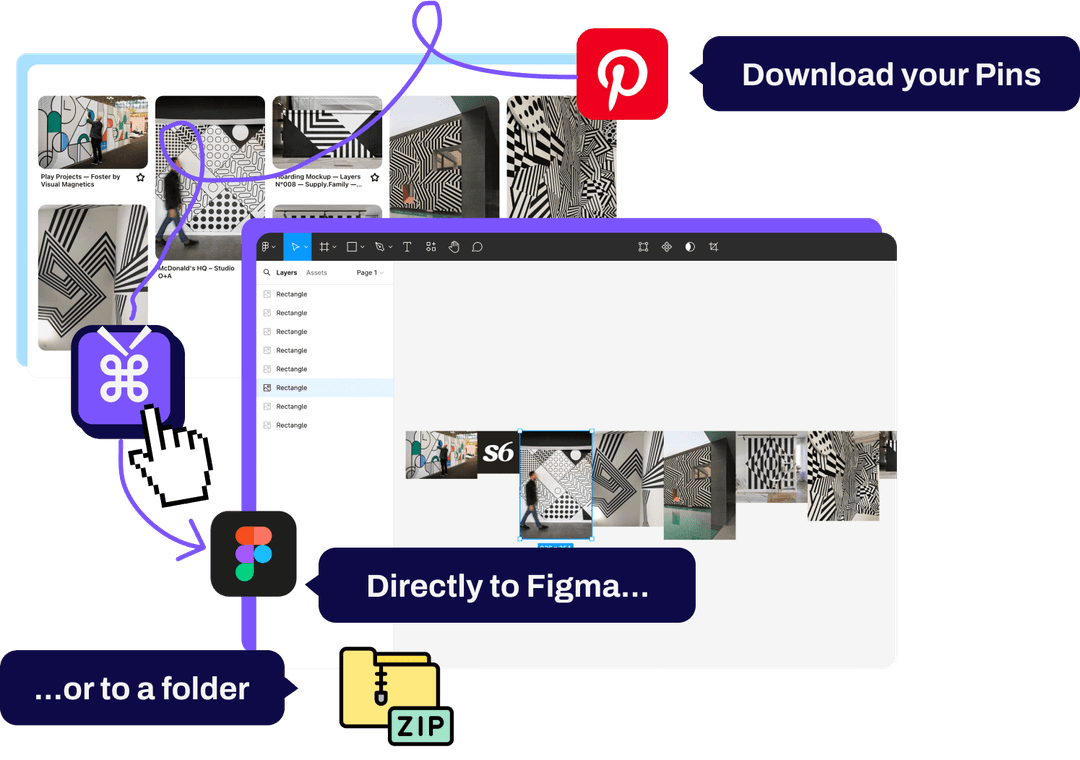
Click the Pinpasta icon in your browser toolbar and hit "Extract." The extension automatically scans the Pinterest page, identifies all pins, and downloads the highest resolution version of each image. You'll see a progress indicator as extraction runs.
For small boards (10-50 pins), extraction takes 10-30 seconds. For larger boards (100-500 pins), expect 1-3 minutes. For very large boards (1,000+ pins), it may take 5-10 minutes, but it still beats manual downloading by hours.
Step 4: Download as ZIP or Copy to Figma
Once extraction completes, you have two options:
- Download to ZIP: All images are packaged into a single ZIP file and saved to your downloads folder. The ZIP is named after the Pinterest board for easy organization.
- Copy to Figma: If you've installed the Pinpasta Figma plugin, you can send images directly to Figma without downloading files. Perfect for designers building moodboards. Learn more in our Pinterest to Figma guide.
ZIP download is free for the first 20 pins of a board, and copy to Figma is free up to 30 pins per paste. ZIPs over 20 pins and single pastes over 30 pins require Pinpasta Pro ($29 lifetime).
Handling Large Pinterest Boards (500+ Pins)
Most Pinterest bulk image downloaders struggle with large boards. They time out, crash, or fail silently partway through. Pinpasta is built to handle boards of any size.
When you extract a large board (500+ pins), Pinpasta uses a smart scrolling algorithm to load all pins progressively. Pinterest doesn't load all pins at once—it uses infinite scroll. Pinpasta handles this automatically, scrolling to the bottom of the board to ensure every pin gets extracted.
For boards with 1,000+ pins, extraction takes longer (5-15 minutes depending on your internet speed), but it works reliably. You don't need to babysit the process—just click Extract and let it run. The extension will notify you when it's done.
Tips for Downloading Very Large Boards
- Use a stable internet connection: Avoid running large extractions on public WiFi or unstable connections. A dropped connection can interrupt the process.
- Keep the Pinterest tab active: Don't minimize or switch away from the Pinterest tab during extraction. Browser background throttling can slow the process.
- Upgrade to Pro for unlimited ZIPs: The free version caps ZIP downloads at the first 20 pins of a board. For ZIPs of larger boards, you need Pinpasta Pro. Copy to Figma is free up to 30 pins per paste; Pro removes that cap too.
Image Quality and Resolution in Bulk Downloads
When you download multiple Pinterest images, quality matters. Low-resolution images might work for casual browsing, but they're unusable for professional moodboards, client presentations, or print work.
Pinterest stores multiple versions of each image—thumbnail, preview, and full-size. When you right-click and save, you often get the thumbnail or preview size, not the full resolution.
Pinpasta downloads the original full-resolution file for every pin—not a thumbnail or preview. Each file keeps a real filename (pin id + title), and the ZIP includes a report file listing every pin. That's sufficient for professional moodboards, presentations, and most print work.
Batch Download Pinterest Pins from Search Results
You're not limited to downloading boards. Pinpasta works on Pinterest search results too. This is useful when you're gathering inspiration around a specific theme but haven't created a dedicated board yet.
For example, if you search Pinterest for "minimalist logo design," you can extract the entire search results page as a bulk download. This gives you dozens of high-quality reference images without manually saving each one or creating a temporary board.
The process is identical: navigate to Pinterest search results, click the Pinpasta icon, hit Extract, and download the ZIP file.
Free vs. Pro: Which Pinterest Bulk Image Downloader Plan Do You Need?
Pinpasta offers both a free tier and a Pro plan. Here's the breakdown:
Pinpasta Free:
- ZIP download of the first 20 pins per board
- Copy to Figma, up to 30 pins per paste (requires Figma plugin)
- High-resolution image extraction
- Works on Chrome, Firefox, Edge, Brave
- ZIPs over 20 pins require Pro
Pinpasta Pro ($29 lifetime):
- Unlimited ZIP downloads (no 20-pin cap)
- Unlimited copy to Figma (no 30-pin paste cap)
- High-resolution image extraction
- One-time payment (no subscription)
The free version is great for testing Pinpasta and for small boards. If you regularly need ZIP files of boards with more than 20 pins for offline storage, the Pro version pays for itself after a few uses. At $29 lifetime, it's cheaper than one month of most SaaS tools.
Pinterest Bulk Image Downloader Use Cases
Who needs to download multiple Pinterest images? Pretty much anyone who uses Pinterest for more than casual browsing:
Designers and Creative Directors: Build client moodboards faster by bulk downloading inspiration boards and importing them into Figma or presentation software.
Interior Designers and Architects: Extract entire Pinterest boards of furniture, color palettes, and spatial layouts for client presentations and project planning.
Wedding and Event Planners: Download Pinterest boards of decor inspiration, floral arrangements, and venue ideas to share with clients offline or in printed lookbooks.
Content Creators and Marketers: Gather visual references for social media campaigns, blog graphics, and brand aesthetics by bulk downloading relevant Pinterest boards.
Educators and Researchers: Compile visual teaching materials or research references from Pinterest collections without manually saving hundreds of images.
Hobbyists and DIY Enthusiasts: Download recipe collections, home improvement ideas, or craft tutorials from Pinterest for offline access.
Alternatives to Pinpasta for Bulk Pinterest Downloads
Pinpasta isn't the only Pinterest bulk image downloader, but it's the most streamlined for creative professionals. Here's how it compares to other tools:
See our detailed Pin Toolbox comparison and Unpinned comparison for feature breakdowns.
Pin Toolbox: Another Chrome extension with bulk download. Costs $14.99/month (subscription model). Includes video download support, which Pinpasta doesn't have. More expensive long-term unless you only need it for one month. See our full Pin Toolbox vs Pinpasta comparison.
Unpinned: Newer Chrome extension with free and Pro tiers. Supports video downloads and folder organization. Competitive feature set, but no Figma integration. Good alternative if you don't use Figma.
WFDownloader: Free desktop app for bulk Pinterest downloads. Requires manual cookie import and has a clunky setup process. Works, but not as streamlined as browser extensions.
PinDown.io: Web-based tool for downloading individual Pinterest images. Doesn't support bulk board downloads, so it's not practical for extracting entire boards.
For a detailed comparison of all Pinterest downloaders, see our best Pinterest board downloader guide.
Frequently Asked Questions About Pinterest Bulk Image Downloader
Q: Can I download an entire Pinterest board with one click?
A: Yes. Pinpasta extracts entire Pinterest boards in one action. Click "Extract" and the extension processes all pins automatically, regardless of board size.
Q: How many Pinterest images can I download at once?
A: On the free plan, copy to Figma places up to 30 pins per paste and ZIP downloads cover the first 20 pins of a board. The Pro version removes both caps, letting you download boards with 100, 500, or 1,000+ pins in a single ZIP.
Q: Does bulk downloading Pinterest images violate Pinterest's terms of service?
A: Pinpasta accesses publicly available Pinterest content through standard web protocols. However, downloaded images are still subject to copyright. Use them for personal inspiration and reference, and always license images properly for commercial work.
Q: What file format does Pinpasta use for bulk downloads?
A: Images are downloaded in their native format—usually JPG or PNG, depending on what the original pinner uploaded. Each file is named with the pin id and title, and the ZIP includes a report file listing every pin.
Q: Can I download private Pinterest boards?
A: Yes, as long as you're logged into Pinterest and have access to the board. Pinpasta works on public, private, and secret boards.
Q: Will bulk downloading slow down my browser?
A: For small-to-medium boards (under 100 pins), you won't notice any slowdown. For very large boards (500+ pins), extraction can consume memory and CPU while running, but performance returns to normal once the process completes.
Q: Can I schedule automatic Pinterest board downloads?
A: Pinpasta doesn't support scheduled or automated downloads. Each extraction is manual—you navigate to the board and click Extract. This ensures you only download what you need.
Q: Does Pinpasta work on mobile devices?
A: No. Pinpasta is a desktop browser extension and works only on Chrome, Firefox, Edge, and Brave. Mobile browsers don't support these extensions.
Get Started with Pinterest Bulk Image Downloader
If you download multiple Pinterest images regularly—for design work, client projects, or personal collections—doing it manually is a waste of time. A Pinterest bulk image downloader like Pinpasta cuts download time from hours to seconds.
The free version is perfect for trying Pinpasta and handling small boards. If you work with larger collections or need ZIP export for offline storage, the Pro version is a one-time $29 payment with no recurring fees.
Install Pinpasta from the Chrome Web Store or Mozilla Add-ons, open any Pinterest board, and extract it in one click. High-resolution images, organized downloads, and zero manual work. That's what a proper bulk downloader should do.
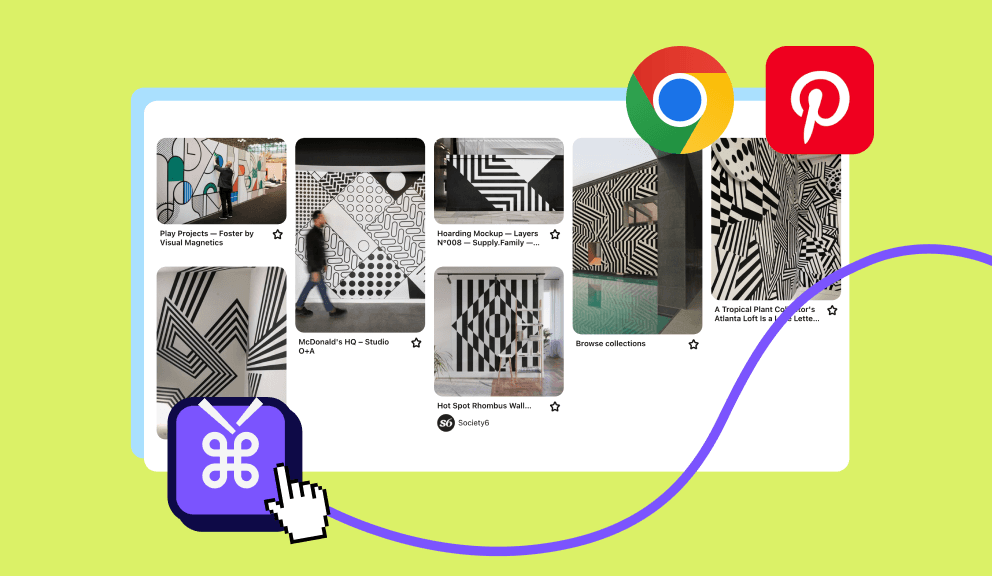
Download entire Pinterest boards in seconds
Stop wasting time saving images one by one. Pinpasta extracts entire boards, gives you high-resolution images, and downloads everything as a ZIP. Free to start, $29 lifetime for Pro.