




Best Pinterest Board Downloaders in 2026 (free and paid, tested)
Last updated: September 2026 · ~10 min read
We build Pinpasta, so read this with that in mind. We still installed every tool below, ran the same boards through each, and opened the ZIPs. Where a competitor does something better than we do, it says so. Where we could not verify a vendor claim, it says that too. If you only want the tool, the Pinterest board downloader page covers Pinpasta on its own.
Short version. If you want a free tool with no cap and you only use Chrome, Pinterest LocalBoard is the one to install. If you want the same original-quality files but also need Firefox, Figma, or a run that survives a closed popup, Pinpasta is the better fit. Its free plan covers ZIPs of 20 pins and Figma pastes of 30. If you need videos, look at Unpinned or Pin Toolbox. Everything else in this list is a compromise on either quality, privacy, or price.
How we tested
Same five boards for every tool: a 30-pin public board, a 500-pin public board, a public board with over 1,100 pins, a board with sections, and a secret board we own. Logged in and logged out. For each run we checked whether the ZIP opened on macOS and Windows, what the files were called, the pixel size of a sample of images against the pin's original, and whether the tool sent anything anywhere other than Pinterest (checked in the browser's network panel). Prices and limits are what each vendor publishes as of September 2026. They change, so check before you buy.
Comparison table
Scroll sideways on a phone. "Runs locally" means the extension talks only to Pinterest from your own browser, with no third-party server in the path.
| Tool | Price | Runs locally | Original resolution | File naming | Sections | Private boards | Large boards (1k+) | Figma | Browsers | Cancel / resume |
|---|---|---|---|---|---|---|---|---|---|---|
| Pinterest LocalBoard | Free, open source (MIT) | Yes | Yes | 001_pinId_title.jpg + JSON report | Open All Pins or a section | If logged in | Works; ZIP built in memory, can hit browser limits | No | Chrome | Cancel yes, resume no |
| Pinpasta | Free (20 pins per ZIP, 30 pins per Figma paste) / PRO $29 one-time | Yes | Yes | 001_pinId_title.jpg + JSON report | Open All Pins or a section | If logged in | Paced requests, ZIP packed from stored files, resumes; 1,127 pins in one run | Paste into Figma/FigJam | Chrome, Firefox, Edge, Brave | Cancel yes, resume yes |
| Unpinned | Free (50 pins per board) / €6 per month or €50 per year | Requires an account; not verified | "Full quality" (vendor claim) | Section folders in ZIP | Folders per section | Not verified | Paid plan | No | Chrome, Firefox, Edge | Not verified |
| Pin Toolbox | Demo (first 15 pins) / $14.99 per month | Not verified | "Original quality" (vendor claim) | Named and numbered | Nested folders | Not verified | Paid plan | No | Chrome | Not verified |
| PinBoardSaver | Free (20 pins per download, standard quality, 5 boards a day) / from $4.99 per month | Claims browser-only; web tool version is server-side | Paid plan only | Not verified | Folders per section | Not verified | Paid plan | Advertised (Figma and Canva export), not tested | Chrome + web tool | Not verified |
| PinDownCloud | Free with a daily download limit / Premium (price not published on listing) | Contradictory: "no server involved" on one page, "cloud processing" on another | "Original HD" (vendor claim) | Numbered, pin title | Not verified | Not verified | Premium only | No | Chrome | Not verified |
| rrokutaro/pinterest-board-downloader | Free, source on GitHub (no license file) | Yes | Yes | Pinterest's image hash, no title | Manual | If logged in | "Endless mode" auto-scroll | No | Chrome, Edge (load unpacked) | No |
1. Pinterest LocalBoard — best free tool, Chrome only
Price: free. Source: MIT-licensed on GitHub. Browsers: Chrome.
LocalBoard is a small Manifest V3 extension. It asks for nothing beyond access to pinterest.com and pinimg.com, has no backend, no analytics, and no account. It scrolls the board, rewrites each image URL to Pinterest's /originals/ path, and builds the ZIP in the browser with JSZip. We checked the source and watched the network panel: it talks to Pinterest and nothing else.
The ZIP is the best part. You get a folder named after the board, files named 001_123456789_title.jpg (index, pin id, sanitised title), and a _download_report.json that lists what was downloaded and what failed. That is exactly how a designer wants a board handed over. It is also, frankly, the format we copied for Pinpasta 3.0.
Limits are the ones you would expect from a free side project. It is Chrome only. There is no Figma path, so the ZIP is the end of the road. It builds the whole archive in memory, and the README says very large boards can hit browser memory limits. You can cancel a run, but if the popup closes or the tab reloads mid-board you start again. Sections are handled by asking you to open All Pins or one section, which is fine.
Choose it if: you are on Chrome, you want originals with sensible filenames, and you don't need Figma or very large boards. It is free and it is good. Full head-to-head: Pinterest LocalBoard vs Pinpasta.
2. Pinpasta — originals, named files, and a Figma path, in three browsers
Price: free for the first 20 pins of a board per ZIP and 30 pins per Figma paste. PRO is $29, one payment, and removes both caps. Browsers: Chrome, Firefox, Edge, Brave.
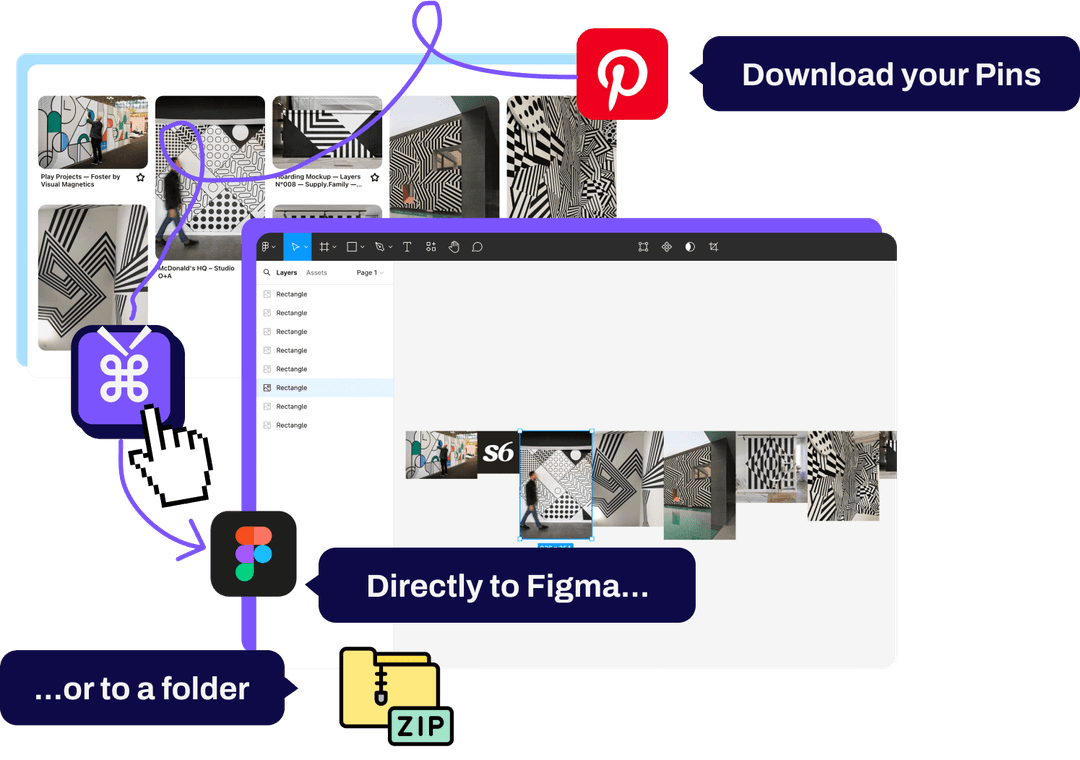
Pinpasta is ours, so here is what we can say plainly. Version 3.0 fetches the original file for each pin and falls back to the largest resized version only when Pinterest refuses the original; on a 981-pin test board every pin came back as the original. The ZIP has the same structure LocalBoard uses: board folder, seq_pinId_title.ext with the real extension (a PNG pin is a .png, not a renamed .jpg), and a _pinpasta_report.json with every pin URL, what was downloaded, what failed, and which originals were refused. It runs in your browser, with no account and no server.
Five things LocalBoard does not do. It runs in Firefox as well as Chrome-family browsers. It can copy the board to Figma or FigJam through the Pinpasta plugin, at full resolution, with no ZIP in between; the free plugin places 30 pins per paste, PRO any number. It has a Pick specific pins mode: tick pins on the page, then add just those to Figma or download just those. PRO also saves a board as a PDF, one image per page or six per page, with every image linked back to its pin. And on large boards it paces its requests so Pinterest does not throttle them, packs the ZIP from files stored in the browser rather than in memory, keeps what it has already fetched if you close or cancel, and picks up where it stopped. Our 1,127-pin test board completed in one run, with an overlay on the Pinterest tab showing progress while the popup was closed.
Things it does not do. No video, and no print button: you print the board's PDF instead. And the free plan caps ZIPs at 20 pins and Figma pastes at 30, which is the honest reason LocalBoard wins on price for anyone who only needs ZIPs.
Choose it if: you work in Figma, you use Firefox, or you download big boards often enough that resume matters. See the Pinpasta board downloader page for the full walkthrough.
3. Unpinned — best if you need videos and sections as folders
Price: free up to 50 pins per board, then €6 per month or €50 per year. Browsers: Chrome, Firefox, Edge. Requires a free account.
Unpinned has the most generous free cap of the paid tools, and it downloads videos with audio, which none of the image-only tools do. Its ZIP puts each Pinterest section in its own folder, which is a real convenience on big client boards. It also does PDF export.
What we could not verify: whether images are Pinterest originals or the largest on-page size (the vendor says "full quality" without saying which), and whether the account requirement means board data passes through their servers. There is no Figma path. Read the head-to-head in Unpinned vs Pinpasta.
Choose it if: your boards have videos, or you want sections as folders and a 50-pin free tier is enough.
4. Pin Toolbox — most features, subscription priced
Price: demo covers the first 15 pins of any board; $14.99 per month for everything. Browsers: Chrome.
Pin Toolbox is the feature-heavy option: images, videos in original quality, ZIP, PDF, print, section filtering, and nested folders per section. Files are named and numbered. It has around 40,000 users and a 4.8 rating on the Chrome Web Store, so it is not a fly-by-night tool.
The trade-off is the subscription. After two months it costs more than a lifetime Pinpasta license, and after a year it is around $180. The demo is 15 pins, which is enough to see the interface but not to do a job. No Firefox, no Figma. We did not verify the locally-vs-server question. Full comparison: Pin Toolbox vs Pinpasta.
Choose it if: you need videos and a print button, and you are happy to pay monthly for a one-off project.
5. PinBoardSaver — free tier is 20 standard-quality pins
Price: free for 20 pins per download in standard quality, five boards a day; paid plans from about $4.99 per month for unlimited pins, original quality, and video. Browsers: Chrome extension, plus a web tool.
PinBoardSaver's free plan is similar in size to Pinpasta's, but note the "standard quality": originals are a paid feature here. The listing advertises Figma and Canva export; we did not test how it places images, so treat that as a vendor claim. Sections are organised into folders, and you can pick sections or Select All before downloading, which is nice.
The Chrome extension claims downloads happen in your browser. The web tool, by definition, does the work on their server, so if you paste a board URL into the website rather than the extension, your request leaves your machine. Private boards and large boards are not something we could verify on the free plan.
Choose it if: you want a cheap monthly plan with section folders and video, and you are fine with standard quality on the free tier.
6. PinDownCloud — free with a daily cap, unclear where the work happens
Price: free with a daily download limit shown in the extension; Premium removes the daily limit, allows boards with thousands of pins, and adds Google Drive and Dropbox sync. Browsers: Chrome.
PinDownCloud adds a download button to each pin and can bundle a board as a numbered ZIP with pin titles, images, videos, and GIFs together. Vendor copy claims "original HD quality".
What put us off is the privacy story. One page on the vendor site says "no third-party website, no server involved". Another says the free plan "includes cloud processing" for a set number of boards per month. Both cannot be true. If where your board data goes matters to you, test it with the network panel open before relying on it. Ratings also disagree: 4.8 on the vendor site, 4.5 with around 2,000 users on the store listing.
Choose it if: you want cloud sync to Drive or Dropbox and the daily cap fits your use.
7. rrokutaro/pinterest-board-downloader — for people who like GitHub
Price: free, source on GitHub (176 stars; no license file at the time of writing). Browsers: Chrome and Edge, installed by loading the unpacked folder in developer mode.
Despite the name, this is not a script. It is a browser extension you install from source. It rewrites image URLs to originals, has an "endless mode" that auto-scrolls the board, supports selecting pins with Shift and right-click or a marquee, and keeps a download history so you do not fetch the same pin twice. No account, no server.
Filenames are Pinterest's image hash, not the pin title, so the folder is a pile of 32-character names. There is no report. No Firefox, no Figma, no resume. Installing from source is fine for developers and annoying for everyone else, and the missing license means the legal status of the code is unclear.
Choose it if: you are comfortable with developer mode and you want free originals with a selection tool.
Also worth knowing
Pinterest's own data export
Settings, Privacy and data, Request your data. Free, official, and useless for one board: it arrives a day or two later as an account-wide archive of metadata and URLs, not image files. Good for a full-account backup, which we cover in how to back up Pinterest boards.
Right-click and save
Free, no install, and you get whatever size is on screen, which is 236px in the grid and 736px on the pin page. Fine for two images. For a board, use a tool.
What to look for in a board downloader
- Originals, not previews. Pinterest keeps the full upload at a
/originals/path and serves a 236px, 474px, or 736px copy on the page. A tool that saves the on-page copy gives you 736px files. Check one file's pixel size before trusting a "HD" claim. - Filenames you can search. Pin id plus title means you can find the pin again.
image1.jpgor a 32-character hash means you cannot. - Correct extensions. A PNG saved as .jpg still opens, but it confuses every tool downstream. Look for tools that read the real file type.
- Where the work happens. An extension that talks only to Pinterest from your browser cannot leak your board or your login. A web tool does the work on someone else's server. Vendor copy is not always clear, so open the network panel.
- Sections. Sectioned boards show tiles, not pins, on the main page. The tool should either walk the sections or tell you to open All Pins.
- Big boards. A 1,000-pin board is thousands of requests. Tools that pace themselves and can resume finish; tools that fire everything at once get throttled by Pinterest.
Which one should you pick?
Free, Chrome, ZIP only: Pinterest LocalBoard. There is no reason to pay for anything if that is your whole use case.
Figma, Firefox, big boards, or board PDFs without a subscription: Pinpasta. Free for the first 20 pins per ZIP and 30 pins per Figma paste, then one payment for life.
Videos or sections as folders: Unpinned on a budget, Pin Toolbox if you also want a print button.
Cloud sync: PinDownCloud, once you have checked for yourself where the processing happens.
You have a GitHub account and opinions: the rrokutaro extension.
Frequently asked questions
Q: Which Pinterest board downloader is completely free?
A: Pinterest LocalBoard is free and open source with no cap, but Chrome only. The rrokutaro extension on GitHub is free if you install it from source. Pinpasta is free for ZIPs of the first 20 pins of a board and Figma pastes of up to 30 pins. Unpinned is free up to 50 pins per board. PinBoardSaver and PinDownCloud have free tiers with daily or per-download caps.
Q: Which tools download Pinterest's original full-resolution images?
A: Pinterest LocalBoard, Pinpasta, and the rrokutaro GitHub extension request the /originals/ file for each pin; we confirmed this in their source or by checking pixel sizes. Pin Toolbox, Unpinned, and PinDownCloud advertise original or full quality but we did not verify it. PinBoardSaver gives standard quality on the free plan and originals on paid plans.
Q: Can I download private Pinterest boards?
A: With Pinterest LocalBoard, Pinpasta, and the rrokutaro extension, yes, as long as you are logged in and can see the board in your browser. They read the page in your own session. Web tools that take a board URL cannot see private boards.
Q: Which tool is best for boards with 1,000+ pins?
A: Pinpasta paces its requests, resumes after the popup closes, and packs the ZIP from files stored in the browser rather than in memory. It completed a 1,127-pin test board in one run. LocalBoard works but builds the ZIP in memory, which its own README says can hit browser limits on very large boards. Unpinned, Pin Toolbox, PinBoardSaver, and PinDownCloud put large boards behind their paid plans.
Q: Which Pinterest board downloader works with Figma?
A: Pinpasta copies a board, or just the pins you pick, straight into Figma or FigJam through its Figma plugin at full resolution. The free plugin places 30 pins per paste; PRO places any number. PinBoardSaver advertises Figma and Canva export; we did not test it. The other tools stop at a ZIP file.
Q: Do these tools upload my board to a server?
A: Pinterest LocalBoard, Pinpasta, and the rrokutaro extension talk only to Pinterest from your browser; we checked the network panel and, for the open-source ones, the code. PinBoardSaver's web tool runs on their server by definition. PinDownCloud's own site says both 'no server involved' and 'cloud processing' on different pages, so test it yourself. Unpinned requires an account.
Try Pinpasta on your next board
Originals, real filenames, straight into Figma. Runs in your browser. Free for the first 20 pins per ZIP and 30 pins per Figma paste.