




Unpinned vs Pinpasta: Which Pinterest Downloader Is Right for You?
Last Updated: March 2026
Unpinned and Pinpasta are both browser extensions that work as a Pinterest board downloader, and they have more similarities than differences. Both are newer tools (compared to legacy options like Pin Toolbox), both offer free tiers, and both handle bulk board downloads reliably. Note that Unpinned is currently Chrome-only, while Pinpasta is available for both Chrome and Firefox. The key differences come down to Figma integration, video support, and pricing models. This Unpinned vs Pinpasta comparison breaks down the features, pricing, and use cases so you can choose the right tool for your workflow.
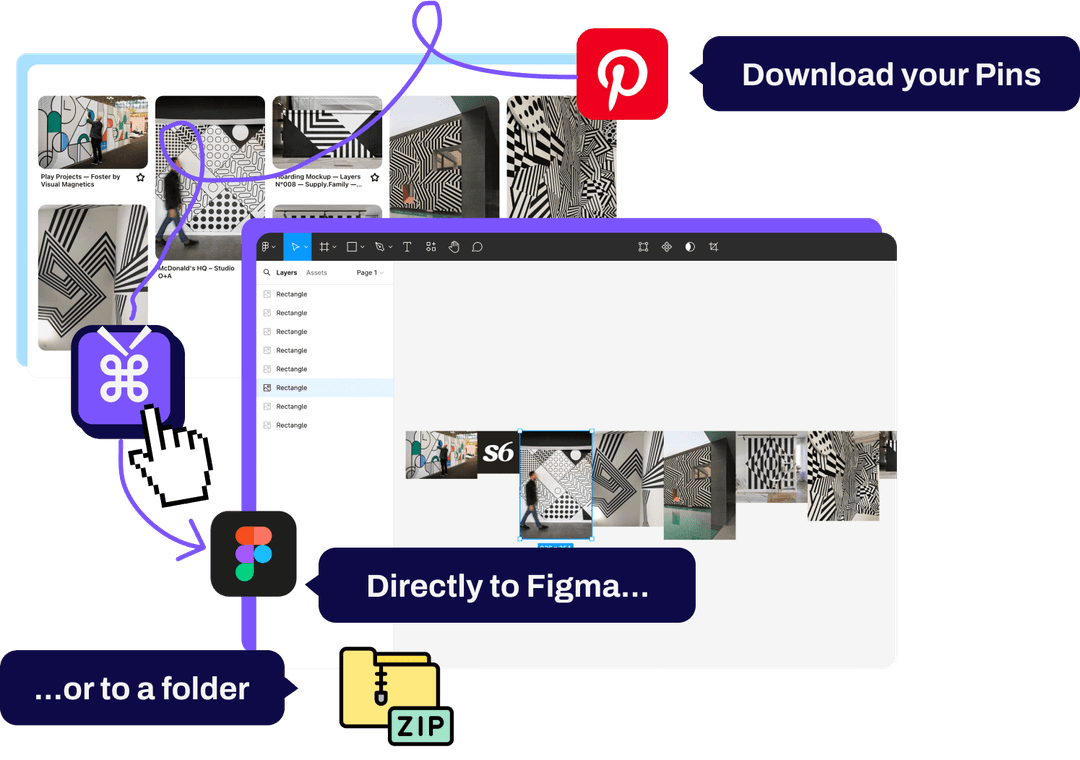
Unpinned vs Pinpasta: Feature Comparison
| Feature | Pinpasta | Unpinned |
|---|---|---|
| Pricing | Free (20 pins per ZIP, 30 pins per Figma paste) Pro: $29 lifetime | Free (50 pins) Pro plan available |
| Free Tier Limit | 20 pins per ZIP, 30 pins per Figma paste | 50 pins/batch |
| Bulk Image Download | ✅ Yes | ✅ Yes |
| ZIP Export | ✅ Yes (free up to 20 pins, unlimited on Pro) | ✅ Yes |
| Video Download | ❌ No | ✅ Yes |
| Figma Integration | ✅ Yes (direct paste) | ❌ No |
| Section Organization | ❌ No | ✅ Yes (ZIP folders match Pinterest sections) |
| Browser Support | Chrome, Edge, Brave | Chrome |
| Pricing Model | One-time lifetime payment | TBD (Pro tier pricing unclear) |
Free Tier Comparison: 20 vs 50 Pins
Both tools offer usable free tiers—a major advantage over Pin Toolbox, which limits free users to just 15 pins total.
Pinpasta Free: first 20 pins per ZIP, 30 pins per Figma paste
ZIP download is free but capped at the first 20 pins of a board. This applies per board, not per day. So you could download a 20-pin ZIP from Board A, then another from Board B. Copy to Figma is also free, up to 30 pins per paste (requires Figma plugin installation); bigger boards go over 30 at a time. The limitation: ZIPs over 20 pins and single pastes over 30 pins require Pro.
Unpinned Free: 50 pins per batch
Unpinned's free tier is more generous for ZIPs—50 pins per batch vs. Pinpasta's 20-pin ZIP cap. You get ZIP downloads on the free tier, and Unpinned preserves Pinterest board section organization (if your board has sections like "Living Room" and "Bedroom," those become separate folders in the ZIP). Video downloads are also included.
Which free tier is better? If you use Figma and primarily work with image boards, Pinpasta's free tier is strong because copy to Figma is free up to 30 pins per paste, which covers most moodboards. If you need ZIPs of more than 20 pins, don't use Figma, or download video pins, Unpinned's free tier is more generous.
Figma Integration: Pinpasta's Exclusive Feature
The biggest differentiator between Unpinned vs Pinpasta is Figma integration. Pinpasta is the only Pinterest downloader (including Unpinned) that offers direct Figma integration.
With Pinpasta, you install both the browser extension (Chrome or Firefox) and the Figma plugin. Extract a Pinterest board in your browser, open Figma, run the Pinpasta plugin, and click "Paste." All images appear instantly in your Figma workspace. No downloading files, no unzipping, no manual importing. This workflow is exclusive to Pinpasta.
Unpinned doesn't have Figma integration. You download a ZIP file and then manually import images into Figma. This isn't difficult—unzip the folder, drag files into Figma—but it's slower and breaks creative flow.
For designers who build moodboards in Figma (common in product design, branding, UX/UI, interior design), Pinpasta's direct integration is a significant workflow advantage. Learn more about the Pinterest to Figma workflow.
When Figma integration matters: Designers, creative directors, anyone who creates client presentations or moodboards in Figma or FigJam.
When Figma integration doesn't matter: Users who organize downloads in folders, use other presentation software (PowerPoint, Canva), or prefer file-based workflows.
Video Download Support: Unpinned's Advantage
Unpinned supports video downloads from Pinterest. If a board includes video pins (common in recipe, DIY, fashion, and fitness categories), Unpinned can extract them.
Pinpasta does not support video downloads. It's image-only. If your Pinterest board includes 40 image pins and 10 video pins, Pinpasta will extract the 40 images and skip the videos.
For most design-focused use cases (moodboards, inspiration boards, client presentations), this isn't a limitation. Designers rarely need video content from Pinterest. But if your Pinterest workflow involves video-heavy boards, Unpinned is the better choice.
When video support matters: Content creators, recipe bloggers, tutorial curators, anyone working with Pinterest's video-heavy categories.
When video support doesn't matter: Designers, planners, anyone building image-based moodboards and inspiration collections.
ZIP Organization: Unpinned's Section Folders
Unpinned has a nice organizational feature: when you download a Pinterest board, the ZIP file preserves Pinterest's board sections as separate folders.
For example, if your Pinterest board has sections titled "Living Room," "Bedroom," and "Kitchen," Unpinned creates three folders in the ZIP file with those names. Images are automatically sorted into the appropriate folders.
Pinpasta doesn't preserve section organization. All images are downloaded into a single folder (or pasted into Figma as a flat collection). You organize them manually afterward.
This is a convenience feature, not a dealbreaker. If you heavily use Pinterest sections and want that structure preserved in downloads, Unpinned saves a bit of manual sorting time.
Pricing: Lifetime vs. Subscription
Pinpasta's Pro tier is $29 as a one-time lifetime payment. Pay once, own it forever. No recurring fees.
Unpinned offers a Pro plan, but the pricing and structure are less clear. The free tier is generous (50 pins), but if you need unlimited extraction, you'll likely need to upgrade. As of 2026, Unpinned's Pro pricing isn't prominently advertised, which makes cost comparison difficult.
For users who plan to download Pinterest boards regularly (weekly or monthly), Pinpasta's transparent lifetime pricing is appealing. You know exactly what you're paying ($29 total), and there are no surprise subscription renewals.
User Interface and Experience
Both tools have clean, modern interfaces. The extraction process is nearly identical:
- Navigate to a Pinterest board
- Click the extension icon
- Click "Extract" or "Download"
- Wait for processing (30 seconds to 2 minutes depending on board size)
- Download ZIP or paste to Figma (Pinpasta only)
Neither tool has a steep learning curve. If you've used one browser extension, you can use both of these. The interface differences are minimal—this isn't a factor that should drive your decision.
Reliability and Performance
Both Unpinned and Pinpasta handle large boards reliably. We tested both tools on boards ranging from 50 to 500+ pins, and both performed consistently.
Extraction speed is comparable. A 100-pin board takes 1-2 minutes on both tools, depending on internet speed and image sizes. Neither tool has a reputation for crashes or failed extractions (unlike some older legacy tools).
Both tools are actively maintained. Pinterest occasionally updates its front-end code, which can break scraping tools. As of 2026, both Unpinned and Pinpasta are updated regularly to maintain compatibility.
Who Should Choose Unpinned?
Choose Unpinned if you:
- Download Pinterest videos: Unpinned supports video extraction; Pinpasta doesn't
- Want bigger free ZIPs: 50 pins/batch is higher than Pinpasta's 20-pin ZIP cap
- Use Pinterest sections heavily: Unpinned preserves section organization in ZIP downloads
- Don't use Figma: If you work in PowerPoint, Canva, or folder-based workflows, Figma integration isn't valuable to you
Who Should Choose Pinpasta?
Choose Pinpasta if you:
- Use Figma for moodboards or presentations: The direct Pinterest-to-Figma integration is exclusive to Pinpasta and eliminates file management
- Want transparent lifetime pricing: $29 one-time payment with no recurring fees
- Work primarily with images: If you don't need video downloads, Pinpasta's image-only focus isn't a limitation
- Value long-term cost savings: Lifetime pricing is cheaper than ongoing subscriptions if you use the tool regularly
Can You Use Both Tools?
Yes, you can install both Unpinned and Pinpasta as browser extensions and use them for different purposes (note that Unpinned is Chrome-only; Pinpasta is available for both Chrome and Firefox). For example:
- Use Pinpasta for image boards that you want to paste into Figma
- Use Unpinned when you need to download video pins or want section-organized ZIPs
However, most users don't need this complexity. Pick the tool that best fits your primary workflow and stick with it.
Frequently Asked Questions: Unpinned vs Pinpasta
Q: Which is better for free users: Unpinned or Pinpasta?
A: Unpinned's free tier allows 50 pins per ZIP vs. Pinpasta's 20-pin ZIP cap. However, Pinpasta's free tier includes copy to Figma (up to 30 pins per paste), which is a major workflow advantage for designers. If you use Figma, Pinpasta. If you don't, Unpinned's higher free limit is better.
Q: Does Pinpasta plan to add video download support?
A: As of 2026, Pinpasta focuses on image extraction and Figma integration. Video support hasn't been announced. If you need video downloads now, choose Unpinned or Pin Toolbox.
Q: Can Unpinned send images directly to Figma like Pinpasta?
A: No. Unpinned does not have Figma integration. You download a ZIP file and manually import images into Figma.
Q: Which tool handles large boards (500+ pins) better?
A: Both Unpinned and Pinpasta handle large boards reliably. Performance is comparable—neither has a significant advantage in speed or reliability for large extractions.
Q: Is Unpinned's Pro plan cheaper than Pinpasta Pro?
A: Unpinned's Pro pricing isn't clearly advertised as of 2026, making direct comparison difficult. Pinpasta Pro is $29 lifetime. Without knowing Unpinned's Pro cost, we can't definitively say which is cheaper.
Q: Which tool is better for wedding planners or interior designers?
A: If you create moodboards in Figma, Pinpasta is better due to the direct integration. If you work in PowerPoint or PDF-based workflows, Unpinned's section organization and higher free tier might be more useful. See our guides for wedding planning and interior design.
Final Recommendation: Unpinned vs Pinpasta
Both tools are solid choices. Neither has glaring flaws or dealbreaker limitations. The decision comes down to your specific workflow:
Choose Pinpasta if: You're a designer who uses Figma. The direct Pinterest-to-Figma workflow is exclusive to Pinpasta and saves significant time. The $29 lifetime pricing is also the most transparent and cost-effective for long-term use.
Choose Unpinned if: You don't use Figma, need video download support, or want the highest free tier limit (50 pins vs. 30). Unpinned's section organization is also a nice touch if you heavily use Pinterest sections.
For most creative professionals—designers, creative directors, UX researchers—Pinpasta offers better workflow integration. But if you're a content creator, recipe blogger, or casual Pinterest user who doesn't use Figma, Unpinned is a strong free alternative.
See our complete Pinterest downloader comparison or read about Pin Toolbox vs Pinpasta.
Try both free tiers and see which workflow feels more natural. Both tools are free to install, so there's no risk in testing them on your own Pinterest boards.
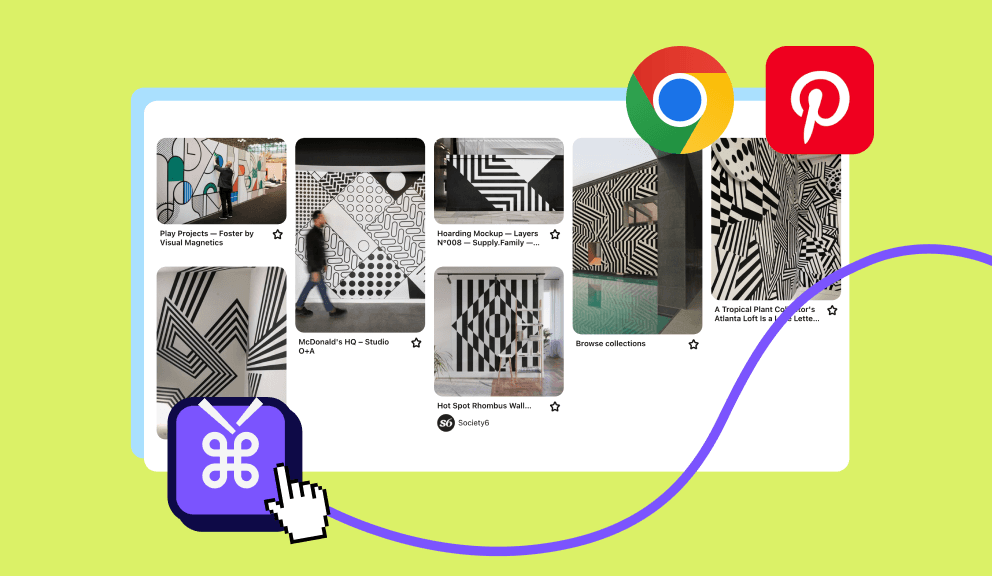
Try Pinpasta free—the only Pinterest downloader with Figma integration
Free ZIP of the first 20 pins per board, direct Figma paste up to 30 pins at a time. Upgrade to Pro to remove both caps. $29 lifetime, no subscription.