



Pinterest LocalBoard vs Pinpasta: Free Open Source vs Paid, Compared Fairly
Last updated: September 2026
Pinterest LocalBoard is a free, open-source Chrome extension that downloads a board as a ZIP of original-resolution images with proper filenames. Pinpasta is our Pinterest board downloader, and it does the same thing, plus Firefox, a Figma path, and resume on big boards, with a free tier and a one-time PRO license. We build Pinpasta. This page is still meant to help you pick the right one, and for a lot of people that is LocalBoard.
Feature comparison table
| Feature | Pinterest LocalBoard | Pinpasta |
|---|---|---|
| Price | Free, no cap | Free (20 pins per ZIP, 30 pins per Figma paste). PRO: $29 one-time |
| Source | Open source, MIT | Closed source |
| Runs locally, no server | Yes | Yes |
| Original resolution | Yes | Yes |
| File naming | 001_pinId_title.jpg, board folder, JSON report | 001_pinId_title.ext, board folder, JSON report, real extension per file |
| Sections | Open All Pins or a section | Open All Pins or a section |
| Private boards | If logged in | If logged in |
| Large boards (1,000+) | ZIP built in memory; README warns about browser limits | Paced requests, resumes after popup close |
| Figma | No | Paste into Figma or FigJam, 30 pins per paste free, unlimited with PRO |
| Browsers | Chrome | Chrome, Firefox, Edge, Brave |
| Pick specific pins | No | Checkboxes on the page, add to Figma or download |
| Progress while popup is closed | No | On-page overlay |
| Cancel | Yes | Yes |
| Resume | No | Yes |
| Video | No | No |
What is Pinterest LocalBoard?
LocalBoard is a Manifest V3 Chrome extension by Tejas Agrawal, published in April 2026 and MIT-licensed on GitHub. It asks for access to pinterest.com and pinimg.com and nothing else. There is no backend, no analytics, no account, and no upload step. It scrolls the board, collects each pin card, rewrites the image URL to Pinterest's /originals/ path, fetches the files, and builds a ZIP in the browser with JSZip.
The output is good. A folder named after the board, files named 001_123456789_some_title.jpg with a zero-padded index, the pin id, and a sanitised title, and a _download_report.json listing totals and any pins that failed. It has a Cancel button. At the time of writing it has a few hundred users and a 5.0 rating from a handful of reviews.
What is Pinpasta?
Pinpasta is a browser extension for Chrome, Firefox, Edge, and Brave, with a companion Figma plugin. Like LocalBoard it runs entirely in your browser and only talks to Pinterest. As of version 3.0 it fetches originals (on a 981-pin test board, every pin came back as the original) and produces the same ZIP structure: board folder, seq_pinId_title.ext, and a _pinpasta_report.json with every pin URL, what was downloaded, what failed, and which originals Pinterest refused. It reads the real file type from each response, so PNG pins come out as .png, WebP as .webp, AVIF as .avif.
The free plan gives you ZIPs of the first 20 pins of any board and Figma pastes of up to 30 pins at a time. PRO is $29, one payment, and removes both caps. There is no subscription.
Where they are the same
On the things that matter most to a designer, these two tools are now equivalent. Both fetch originals. Both name files by pin and title. Both put a report in the ZIP. Both run locally. Both handle private boards you can see while logged in. Both ask you to open All Pins or a section on sectioned boards. If you download a 40-pin public board with each, you get two folders that look almost identical, except Pinpasta's free ZIP stops at 20.
Where LocalBoard is better
- It is free with no cap. A 300-pin board costs nothing. With Pinpasta the same ZIP needs PRO.
- It is open source. You can read exactly what it does with your data. We can only tell you what Pinpasta does; LocalBoard can show you.
- It is smaller. Three permissions, one job, no license state, no upgrade prompts.
Where Pinpasta is better
- Firefox. LocalBoard is Chrome only. Pinpasta has a Firefox build with the same features.
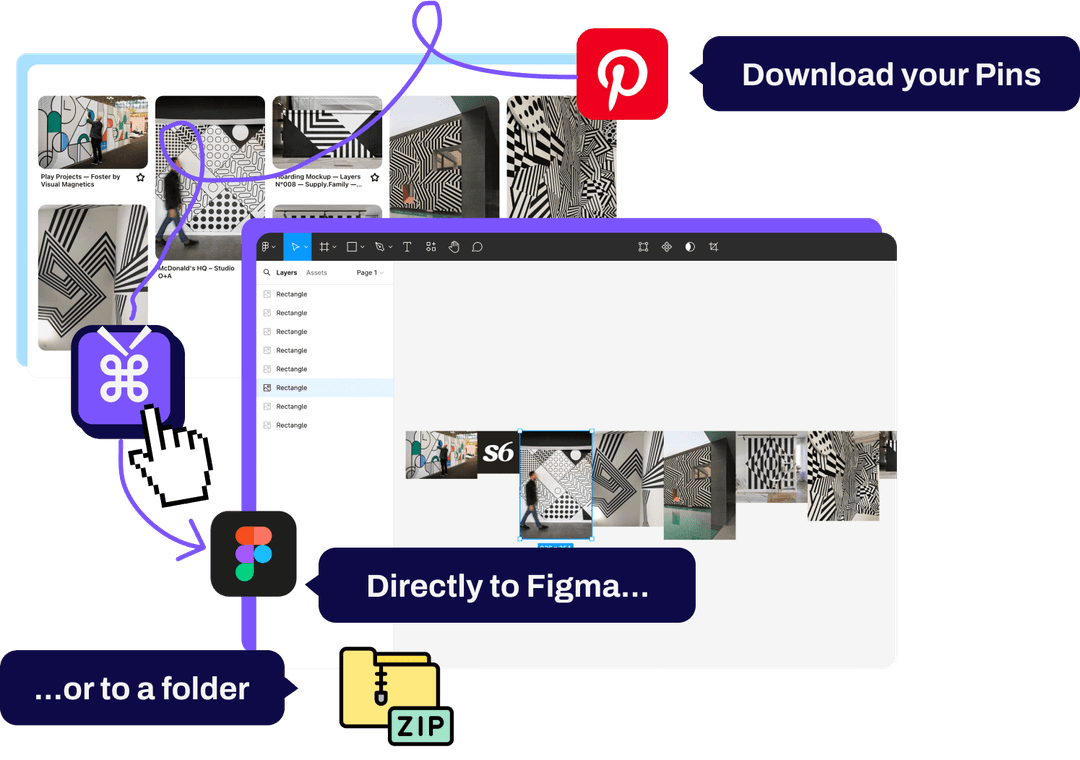
- Figma. Copy to Figma puts the board on your canvas at full resolution without a ZIP in between. Free up to 30 pins per paste, any number with PRO. LocalBoard ends at the ZIP.
- Resume and cancel. Pinpasta stores what it has fetched as it goes. Close the popup, cancel, switch tabs, or lose the connection and Download again only fetches what is missing. An overlay on the Pinterest tab shows progress while the popup is closed. LocalBoard can cancel, but a closed popup means starting over.
- Pick specific pins. Pinpasta adds checkboxes to the pins on the page and lets you add just those to Figma or download just those. LocalBoard is whole-board only.
- Big boards. Pinpasta paces its requests to stay under Pinterest's rate limit and packs the ZIP in the tab from stored files rather than holding it in memory, so the only ceiling is the ZIP format's own. It completed a 1,127-pin board in one run. LocalBoard's README is honest that very large boards can hit browser memory limits.
- Real file extensions. Pinpasta reads the Content-Type of each image. LocalBoard, from its source, names by the URL's extension, which is usually right but not always.
Who should choose LocalBoard
- You use Chrome and only Chrome.
- You want a ZIP and nothing else.
- You download boards larger than 20 pins and do not want to pay.
- You care about being able to read the source.
Who should choose Pinpasta
- You build moodboards in Figma or FigJam.
- You use Firefox, or you switch between browsers.
- You download very large boards and want a run that finishes without babysitting.
- Your boards are small: under 20 pins for a ZIP, under 30 for a Figma paste. Then Pinpasta is free too.
Can you use both?
Yes, and some people should. Install LocalBoard for free full-board ZIPs in Chrome and Pinpasta for the Figma path, which is free up to 30 pins per paste. You only need PRO for bigger Figma pastes, or for Pinpasta's resume and Firefox support on big-board ZIPs.
Frequently asked questions
Q: Is Pinterest LocalBoard really free?
A: Yes. It is an MIT-licensed open-source Chrome extension with no cap, no account, and no paid tier. The source is on GitHub.
Q: Do LocalBoard and Pinpasta both download original resolution?
A: Yes. Both rewrite each pin's image URL to Pinterest's /originals/ path and fall back to the largest resized version if the original is missing. File quality is the same.
Q: Which one works in Firefox?
A: Pinpasta. LocalBoard is a Chrome extension only. Pinpasta runs in Chrome, Firefox, Edge, and Brave.
Q: Can LocalBoard send a board to Figma?
A: No. LocalBoard ends at the ZIP file. Pinpasta copies the board and pastes it into Figma or FigJam through the Pinpasta plugin, at full resolution. The free plugin places 30 pins per paste; PRO places any number.
Q: What happens on a 1,500-pin board?
A: LocalBoard builds the whole ZIP in memory and its README warns that very large boards can hit browser limits; if the popup closes you start over. Pinpasta paces requests, keeps what it has fetched, packs the ZIP from stored files, and resumes after the popup closes. It completed a 1,127-pin board in one run. The free Pinpasta ZIP is capped at 20 pins, so a board that size needs PRO.
Verdict
LocalBoard is the best free Pinterest board downloader for Chrome, and if ZIPs are all you need, install it. Pinpasta is the one to pick if you work in Figma, use Firefox, or download boards big enough that resume matters. For the wider field, including the tools that upload to a server or cap by the day, see our best Pinterest board downloaders in 2026.
Try Pinpasta free
Originals, real filenames, straight into Figma. Chrome and Firefox. Free for the first 20 pins per ZIP and 30 pins per Figma paste. PRO is one payment, for life.